Do Free QR Codes Expire? Why Some "Free" Codes Stop Working
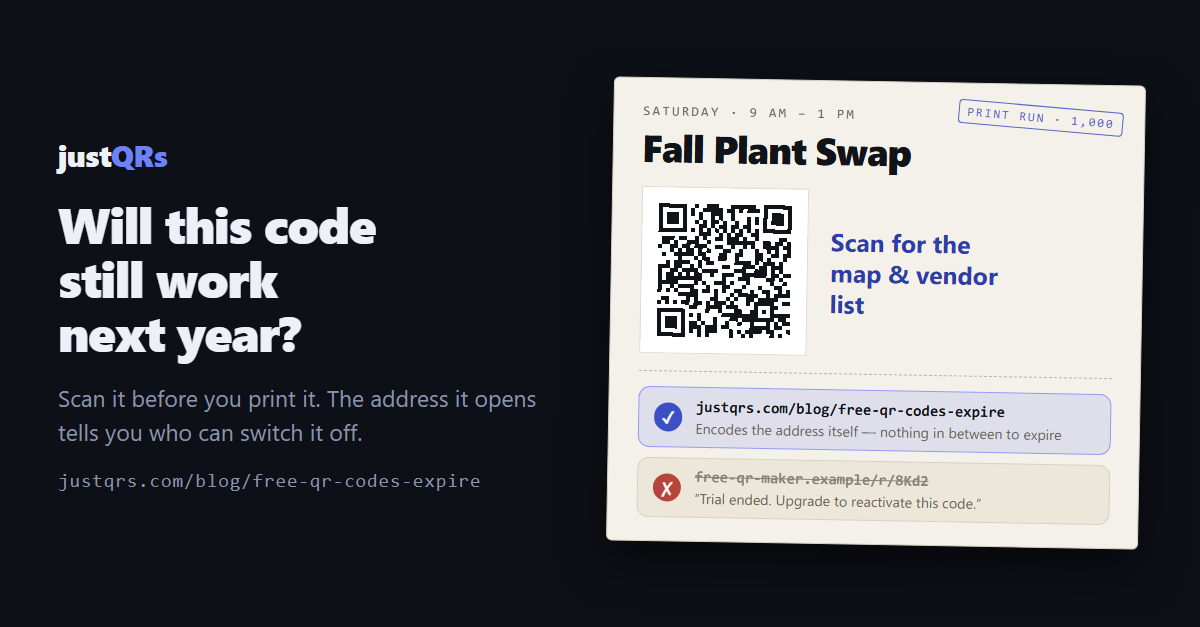
The flyers worked for three months. Then a customer mentioned, politely, that the code on them now opened a page asking you to upgrade.
Nothing about the flyer changed. The ink is the same, the pattern is the same, and it still scans perfectly. What changed is a subscription you may not have known you had — because the "free QR code generator" you used back in the spring didn't make the kind of code you thought it did.
So, do free QR codes expire? The honest answer is: a real static QR code can't. But a lot of codes handed out as "free" aren't static.
Why a QR code can't expire on its own
A QR code is just a pattern that stores some text — usually a web address. When a phone
scans it, the camera reads that text and opens it. There's no clock inside the pattern, no
license key, no phone-home. If the code stores yourcafe.com/menu, it will open
yourcafe.com/menu for as long as the print survives and the page exists.
That kind of code is called static, and it genuinely lasts forever. Nobody can turn it off, including whoever generated it.
Where "expiring" codes come from
Many generators don't put your address in the pattern. They put in their own short link —
something like qr-site.example/r/8Kd2 — and forward each scan from that link to your page.
That's called a dynamic code, and it's a useful thing: because the forwarding link sits
in the middle, the destination can be changed after printing and scans can be counted.
The problem isn't dynamic codes. The problem is being handed one without being told:
- It's the default on the free tier. You type in your URL, download a nice-looking code, and never notice the pattern points somewhere else.
- The free period ends. A trial runs out, or a scan cap is hit, and the forwarding link stops forwarding. Depending on the service, the person scanning sees an error, an "expired" notice, or an upsell.
- You can't move it. The printed pattern contains the generator's domain, not yours. Changing where it points only works while the service is on — you can't redirect it somewhere the company doesn't control. Your choices are to pay or to reprint.
A useful rule of thumb: if a free code comes with scan counts, it's almost certainly a redirect code. Counting scans requires a server in the middle, and servers cost somebody money.
How to check a code before (or after) you print it
This takes about ten seconds and is worth doing on every code you've ever put on paper:
- Scan it with your phone's camera and read the preview. Before you tap, most phones
show the address the code contains. If it's your own domain —
yourcafe.com/...— it's static. If it's the generator's domain or a short link you don't recognize, it's a redirect code, and someone else can switch it off. - Check the account it came from. Log in to the generator you used and look for words like "dynamic," "trial," "scans remaining," or "active until." Any of those means the code depends on that account staying in good standing.
- Read the fine print on cancellation. Look for exactly what happens to existing codes when a plan lapses: do they stop, get deleted, or show the scanner something you didn't choose?
If your codes are already out there
Don't panic, and don't rip everything down on a Sunday night. Take an inventory first:
- List every printed placement — menus, window decals, flyers, packaging, business cards, signage — and scan each one.
- Sort them into static and redirect. Static codes need nothing. Redirect codes need a decision.
- For each redirect code, compare the reprint cost with the subscription. Replacing a flyer taped to a counter is cheap; replacing 10,000 product boxes is not. Sometimes paying the incumbent for another year is honestly the right answer.
- Plan replacements around natural reprints. When the menu gets its seasonal refresh or the packaging gets its next run, swap in a code you control.
- Keep a simple log going forward — what each code points to, where it's printed, and which service (if any) it depends on.
A checklist for choosing a QR provider
Whether you end up with static codes, dynamic codes, or both, ask any provider these questions before anything goes to the printer:
- Are the free codes truly static? They should encode your destination directly, with no redirect through the provider's domain.
- Is anything watermarked, capped, or time-limited on the free plan? Get the answer in writing — a pricing page or FAQ counts.
- What happens to dynamic codes if you stop paying? Paused, deleted, or pointed at an ad? Paused and restorable is the only acceptable answer.
- Can you change a dynamic code's destination as often as you like? That's the whole point of paying for one.
- Is the price flat and published? Surprise per-scan charges are how a cheap plan becomes an expensive reprint.
And remember the honest part: a lot of QR jobs don't need a dynamic code at all. A Wi-Fi card, a vCard, a link to a page that will never move — a free static code is the right tool, and nobody should be charging you to keep it alive.
Where justQRs fits
We built justQRs around exactly this distinction, so there's no fine print to discover later:
- Static codes are free forever. A free account gets the full designer and unlimited PNG, SVG, and PDF downloads. The codes encode your destination directly — no redirect through our domain, no watermarks, no expiry — so they keep working whether or not you ever pay us.
- Dynamic codes are labeled as dynamic and priced flat — $9.99/month or $89/year for 500 dynamic codes with unlimited scans, scan analytics, and five team seats. You can change a code's destination as often as you like.
- If a subscription lapses, nothing is deleted. The account drops to the free plan, every static code keeps working, and dynamic codes stay stored but pause: anyone scanning sees a plain "this code is paused" page — no ads, no upsell. Subscribe again and they pick up where they left off.
A free justQRs account designs and downloads static QR codes forever — no watermarks, no expiry. And if you want codes you can edit and track, every feature is free for 7 days, no card required.
Need a QR code? Generate a static code free — no account — or see what dynamic codes cost.